To Save the Current Field Filters as a Named Search Key
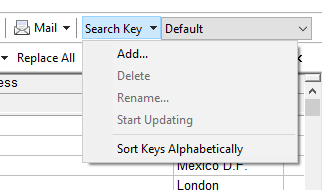
Click the Search Keys toolbar button and use the Add... command from the displayed menu.
To Apply Filters Saved as a Named Search Key
Choose the key name from the Search Keys combo box on the main toolbar.
To Modify Filters Saved as a Named Search Key
Select that key, then click the Search Keys toolbar button and choose the Start Updating command. After adding/deleting/modifying the desired filters, end the updating mode.