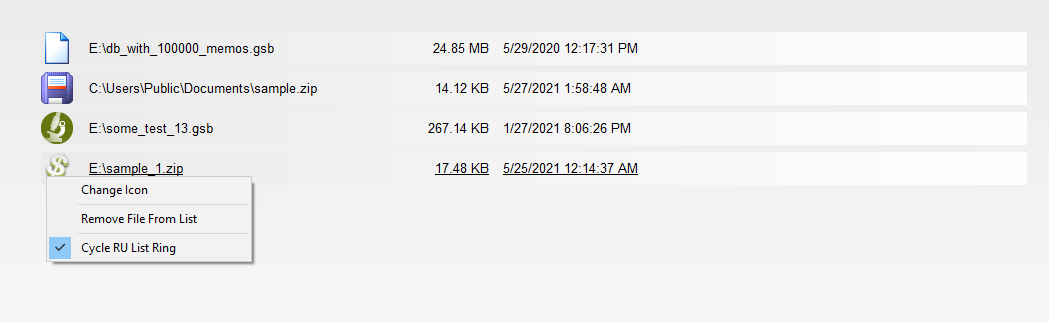
After closing the database window, GS-Base displays the list of recently used databases.
To open a given file, click the corresponding link or use the cursor keys and press Space. Alternatively, drag and drop a given file (or files) into that window.
To change the icon associated with a given file, right-click the current link icon.
To delete a file from the RU list, right-click it and use the Remove command from the context menu.
If you want to preserve the displaying order of the RU file list, right-click the list and uncheck the Cycle RU List Ring option. Otherwise the recently opened database will be moved to the top.